Publish ContentPulse articles to your Wix blog.
Connect your Wix site to ContentPulse with an API key and publish reviewed, SEO-ready articles straight into your Wix blog, rich text, featured image, tags, and SEO slug already set. No plugins, no embeds, no copy-paste.
Works with any Wix site that has the Wix Blog app installed (free and premium plans).
Set up in four steps
Create a Wix API key
In your Wix account, open API Keys, click Generate API Key, give it a name, and grant the Wix Blog and Media Manager permissions (or All site permissions). Copy the key, Wix shows it only once.
Find your Site ID
Open your site's dashboard at manage.wix.com. The Site ID is the long identifier in the URL: manage.wix.com/dashboard/YOUR_SITE_ID/home.
Connect Wix in ContentPulse
In your ContentPulse website settings, open Integrations, pick Wix, paste the endpoint https://www.wixapis.com?siteId=YOUR_SITE_ID and your API key, then hit Connect.
Draft & publish
Draft an article, review it, then hit Publish. The post lands in your Wix blog as fully formatted rich text with featured image, tags, and SEO slug already filled in.
Installation guide with screenshots
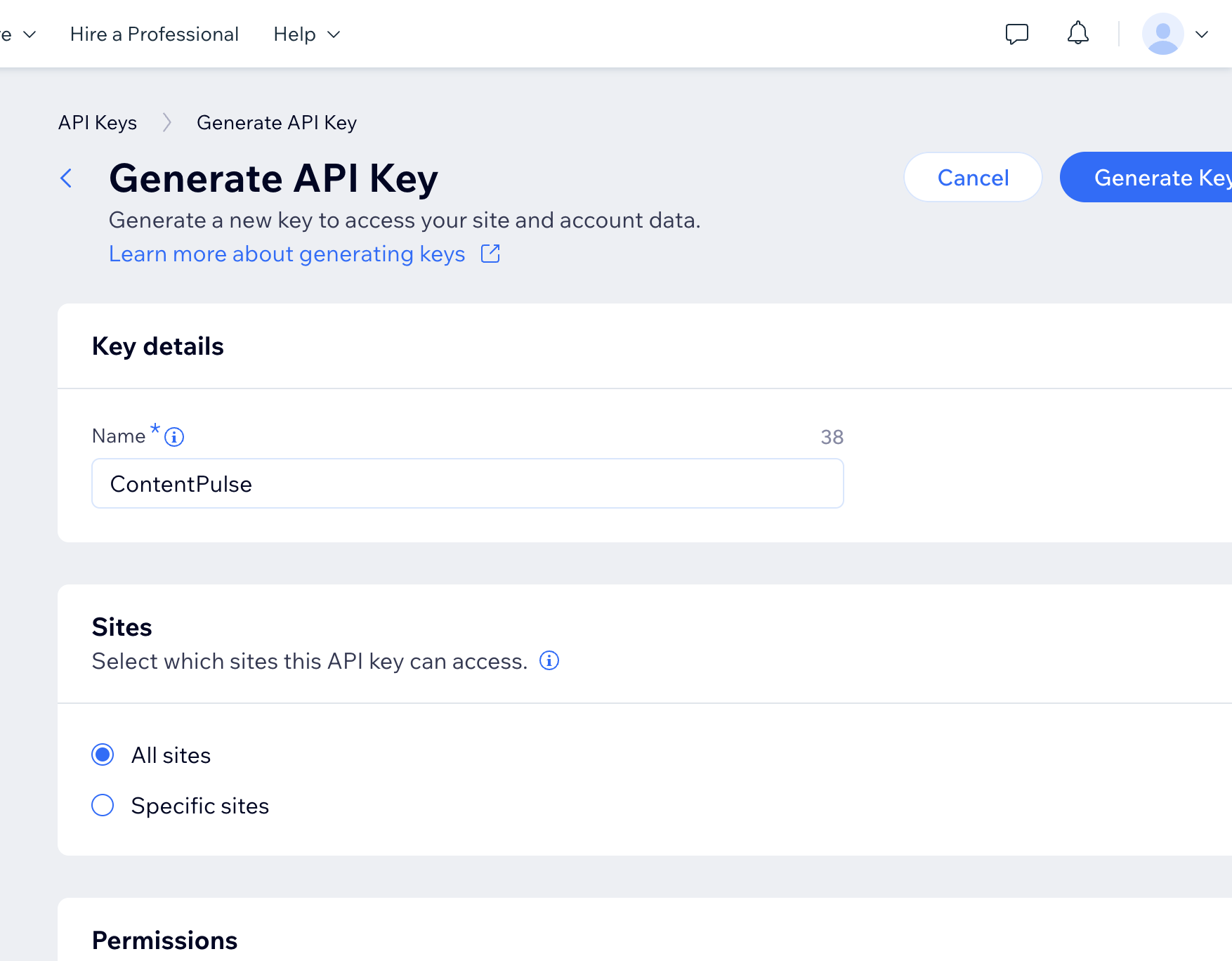
Generate the API key in Wix
Go to manage.wix.com/account/api-keys and click Generate API Key. Name it (e.g. "ContentPulse"), tick the Wix Blog and Media Manager permissions under All site permissions, then create the key and copy it somewhere safe.
Copy your Site ID
Open your site dashboard. The Site ID is the UUID in the address bar right after /dashboard/. You can also find it under Settings → Website settings.

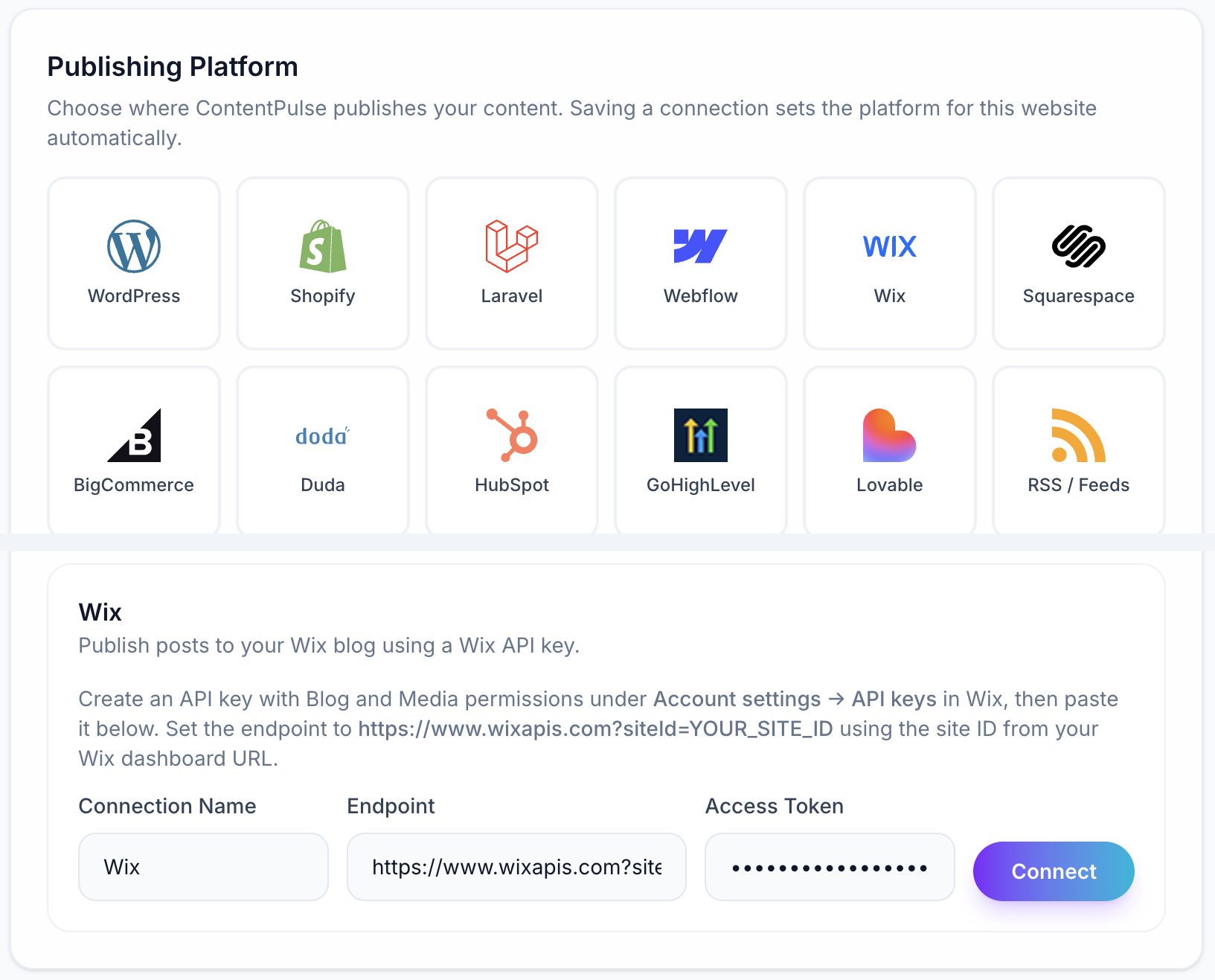
Connect Wix in ContentPulse
In the ContentPulse dashboard, open your website, go to the Integrations tab and select the Wix tile. Enter the endpoint https://www.wixapis.com?siteId=YOUR_SITE_ID, paste the API key, and click Connect. Your next published article will appear in your Wix blog.
What the integration handles for you
Native Ricos rich text
Article HTML is converted to Wix's native Ricos format, headings, paragraphs, bold text, lists, and links render exactly like posts written in the Wix editor.
Featured image upload
The hero image is imported into your Wix Media Manager and set as the post's cover image with descriptive alt text.
SEO slug & metadata
The post slug and title are written onto the Wix draft post so your article keeps its SEO-optimized URL.
Tags mapped automatically
ContentPulse taxonomy is translated into Wix blog tags, reusing existing tags where they match.
Author attribution
Posts are attributed to a site member you choose, add a dedicated author profile and every article publishes under that byline.
Refresh, not duplicate
When an article is refreshed for freshness, the Wix post is updated in place (same slug, same URL) so rankings stay intact.
Common questions
Keep your Wix blog fresh without the copy-paste routine.